Table of Contents
Imagine this: you’re stuck in traffic after a long day, glancing at your phone to check if the robot vacuum finished its job. Instead of a reassuring “Cleaning Complete” notification, you see “Connection Lost.” That sinking feeling—knowing your floors are still covered in pet hair and crumbs while you’re powerless to fix it—is why seamless remote control isn’t just a luxury; it’s the make-or-break feature for modern robot vacuums. As our homes become smarter and our schedules tighter, the ability to command your cleaning companion from anywhere isn’t futuristic—it’s essential for reclaiming precious time and peace of mind.
Gone are the days when a robot vacuum was a simple set-and-forget gadget. Today’s Wi-Fi enabled models are sophisticated home management tools, but not all remote control experiences are created equal. Laggy apps, dropped connections, and confusing interfaces can turn a promised convenience into a daily frustration. This guide cuts through the marketing hype to focus on what truly matters when choosing a robot vacuum you can reliably control from your couch, your office, or across the globe. We’ll dissect the technical foundations, user experience nuances, and hidden pitfalls so you invest in seamless automation, not another app that gathers digital dust.
Top 10 Wi-Fi Enabled Robot Vacuums
Detailed Product Reviews
1. ROPVACNIC Robot Vacuum Cleaner Robot Vacuum and Mop Combo with 5200Pa Suction, Personalized Cleaning Adjustments, Self-Charging Robotic Vacuum Cleaner, Advanced Obstacle Avoidance
 Robot Vacuum and Mop Combo with 5200Pa Suction, Personalized Cleaning Adjustments, Self-Charging Robotic Vacuum Cleaner, Advanced Obstacle Avoidance](https://m.media-amazon.com/images/I/518+BuiWh6L._SL160_.jpg)
Overview: The ROPVACNIC S1 is a versatile 2-in-1 robot vacuum and mop combo designed for pet owners and households seeking efficient, hands-free floor maintenance. It combines robust cleaning performance with smart automation features for daily upkeep of hard floors and low-pile carpets.
What Makes It Stand Out: Its standout features include 5200Pa suction power for deep cleaning, a four-stage adjustable mopping system, and a pet-hair-optimized no-entanglement brush design. Advanced obstacle avoidance and compatibility with Alexa/Google Assistant enable truly autonomous operation, while personalized app control tailors cleaning to specific household needs.
Value for Money: Priced competitively under $400, it delivers exceptional value by integrating high-end mopping, strong suction, and pet-focused engineering. It outperforms similarly priced single-function robots and undercuts premium self-emptying models, though it lacks an auto-empty dock.
Strengths and Weaknesses: Strengths: Powerful suction for carpets/hard floors, excellent pet hair handling, intuitive app/voice control, efficient mopping customization. Weaknesses: Mopping water tank requires frequent refills, obstacle avoidance can struggle with very dark surfaces, no self-emptying base.
Bottom Line: Ideal for pet owners needing reliable vacuuming and mopping without constant supervision. Despite minor limitations in mopping autonomy, its robust cleaning and smart features make it a top-value mid-range choice for daily upkeep.
2. Neato Robotics Botvac Connected D7 Wi-Fi Enabled Robot Vacuum
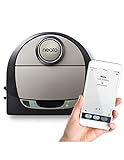
Overview: The Neato Botvac D7 is a Wi-Fi-connected robot vacuum renowned for its distinctive D-shaped design, optimizing corner and edge cleaning. Targeted at pet owners, it focuses on efficient debris and hair pickup across varied floor types using reliable, no-frills engineering.
What Makes It Stand Out: Neato’s signature D-shape and laser-based navigation (LDS) excel at mapping rooms and tackling baseboards/corners where round bots fail. The Combo Brush effectively handles pet hair, and its straightforward app offers scheduling and boundary-setting without overwhelming complexity.
Value for Money: Positioned in the mid-premium tier ($500–$600), it justifies cost through superior navigation accuracy and edge cleaning. While lacking mopping or self-emptying, it outperforms cheaper models in systematic coverage and pet hair pickup, making it worthwhile for homes needing precise cleaning.
Strengths and Weaknesses: Strengths: Best-in-class corner cleaning, reliable LDS navigation, strong pet hair performance, durable build. Weaknesses: No mopping capability, average battery life (90 mins), app interface feels dated, louder than newer competitors.
Bottom Line: A dependable, navigation-focused vacuum for pet owners prioritizing thorough edge and corner cleaning. Skip if you want mopping or self-emptying, but choose it for unmatched precision on hard floors and carpets where detail matters.
3. Robot Vacuum and Mop with LiDAR Navigation, 5000Pa Robot Vacuum Cleaner with Self-Emptying, 90-Day Hands-Free,Mapping, Wi-Fi/App/Alexa Control, Ideal for Pet, Hard Floors, Carpet
 with Self-Emptying, 90-Day Hands-Free,Mapping, Wi-Fi/App/Alexa Control, Ideal for Pet, Hard Floors, Carpet](https://m.media-amazon.com/images/I/41GzAgElraL._SL160_.jpg)
Overview: The BL20Pro is a premium 4-in-1 robot vacuum and mop with a self-emptying base, targeting users seeking near-total cleaning autonomy. Its 90-day hands-free claim hinges on the auto-empty station, designed for busy households with pets and mixed flooring.
What Makes It Stand Out: The combination of 360° LiDAR navigation (70% faster mapping), 5000Pa suction, self-emptying dust station, and auto-mop washing is exceptional. Smart no-go zones via app and 90-day convenience (for average homes) set it apart from basic combos.
Value for Money: At $700+, it’s a significant investment but offers unmatched convenience for its price. The self-emptying station eliminates daily maintenance, and LiDAR ensures efficient coverage, justifying cost versus non-self-emptying rivals. Cheaper models lack this hands-off experience.
Strengths and Weaknesses: Strengths: True 90-day autonomy with self-emptying, LiDAR precision, strong suction for carpets/pet hair, intuitive app controls. Weaknesses: Mopping is basic (no scrubbing), station is bulky, higher long-term cost for replacement bags.
Bottom Line: The top pick for those prioritizing minimal intervention. Its self-emptying and LiDAR navigation deliver unparalleled convenience, making it worth the premium for pet owners or large homes despite modest mopping performance.
4. eufy Robot Vacuum 11S MAX, Super Thin, Powerful Suction, Quiet, Self-Charging Robotic Vacuum Cleaner, Cleans Hard Floors to Medium-Pile Carpets, Black
, Cleans Hard Floors to Medium-Pile Carpets, Black](https://m.media-amazon.com/images/I/31d8SEg9M9L._SL160_.jpg)
Overview: The eufy 11S MAX is a no-frills, ultra-slim (2.85") robot vacuum emphasizing quiet operation and reliability for hard floors and carpets. It skips smart features for simplicity, focusing on core vacuuming performance with BoostIQ adaptive suction.
What Makes It Stand Out: Its standout traits are whisper-quiet operation (comparable to a microwave), exceptional slimness for under-furniture access, and BoostIQ tech that instantly adjusts suction. The anti-scratch cover and drop sensors enhance durability without app dependency.
Value for Money: Priced under $250, it’s a budget-friendly powerhouse for basic vacuuming. It outperforms similarly priced bots in noise reduction and low-profile cleaning but lacks Wi-Fi/mopping. Ideal if you value simplicity over smart features.
Strengths and Weaknesses: Strengths: Extremely quiet, fits under low furniture, strong suction for price, long 100-min runtime, no app required. Weaknesses: No app/Wi-Fi, basic random navigation (no mapping), mopping not supported, struggles on high-pile carpets.
Bottom Line: Perfect for apartment dwellers or minimalists needing a quiet, reliable vacuum for daily hard-floor maintenance. Avoid if you want mapping or mopping, but choose it for fuss-free, under-furniture cleaning at an unbeatable price.
5. Lefant Robot Vacuum Cleaner, Strong Suction, 120 Mins Runtime, Slim, Low Noise, Automatic Self-Charging, Wi-Fi/App/Alexa Control, Ideal for Pet Hair Hard Floor and Daily Cleaning, M210
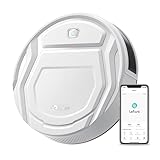
Overview: The Lefant M210 is a slim, app-connected robot vacuum targeting pet owners with its brushless suction design. It emphasizes low-profile cleaning (2.99" height), extended runtime, and versatile cleaning modes for hard floors and light carpets.
What Makes It Stand Out: Its unique brushless suction port prevents pet hair tangles—a major pain point—while the 11" diameter ensures under-furniture access. Six cleaning modes (including zigzag and edge cleaning) and 120-minute runtime offer flexibility via the Lefant app (note: requires new “Lefant” app).
Value for Money: At $200–$300, it delivers strong value with pet-hair-focused engineering and app control. The brushless design reduces maintenance versus roller-brush bots, and long runtime suits larger spaces, though mopping is absent.
Strengths and Weaknesses: Strengths: Tangle-free pet hair pickup, excellent under-furniture reach, quiet operation, 6 cleaning modes, long battery life. Weaknesses: App connectivity issues (requires specific app), zigzag mode ineffective on carpets, no mopping, basic obstacle avoidance.
Bottom Line: A smart budget pick for pet owners needing reliable hard-floor vacuuming with minimal hair maintenance. Its brushless suction and slim design shine, but app quirks and no mopping limit broader appeal. Best for small-to-medium homes.
6. Robot Vacuum and Mop Combo, 2 in 1 Robotic Vacuums Cleaner with WiFi/App, Robot Vacuum with Water Tank, Strong Suction, Schedule, Self-Charging, Quiet, for Hard Floor, Pet Hair, Low Pile Carpet

Overview:
The iMartine Robot Vacuum and Mop Combo delivers a budget-friendly 2-in-1 cleaning solution for hard floors and low-pile carpets. With 2300Pa suction and a 230ml water tank, it tackles dust, pet hair, and light debris in a single pass while offering app control and quiet operation under 65dB.
What Makes It Stand Out:
Its tangle-free brushless design is ideal for pet owners, preventing hair wrap on rollers. The versatile four cleaning modes (Auto, Spot, Edge, Zig-zag) adapt to specific messes, and compatibility with Tuya Smart App and voice assistants enables scheduling and remote management. The self-charging feature ensures uninterrupted cleaning.
Value for Money:
Priced accessibly, it outperforms basic robotic vacuums by integrating mopping without requiring separate units. While suction is modest compared to premium models, the combo functionality and pet-focused design offer strong utility for small-to-medium homes prioritizing hard-surface upkeep.
Strengths and Weaknesses:
Strengths: Effective pet-hair handling, intuitive app/voice control, quiet operation, and reliable self-charging. Weaknesses: Limited suction for deep carpet cleaning, 2.4GHz Wi-Fi requirement, and water tank capacity may require refills for larger spaces.
Bottom Line:
A practical entry-level choice for pet owners needing gentle, automated hard-floor maintenance—ideal if mopping is essential but deep carpet cleaning isn’t a priority.
7. Redroad Robot Vacuum Cleaner 20,000 Pa Robot Vacuum and Mop,90 Day Self Emptying Vacuum Robot,Lidar Navigation,5G/2.4GWiFi APP Aspirateur Robot,Self-Charging Robot Vacuums for Pet,Floor,Carpet White
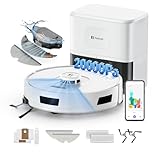
Overview:
The Redroad R11 redefines hands-off cleaning with industry-leading 20,000Pa suction, LiDAR navigation, and a 90-day self-emptying base. Designed for pet-heavy homes, it vacuums, sweeps, and mops across carpets and hard floors while storing four multi-floor maps.
What Makes It Stand Out:
Its mechanical arm-extended side brushes cover 30% more edges than competitors, eliminating corner dust. The 4L dust bag (with two included for 180 days of use) and three adjustable water flow levels enable truly maintenance-free operation. 5G/2.4GHz Wi-Fi ensures reliable app control.
Value for Money:
Despite a premium price, the R11 justifies cost with unparalleled longevity (180 days without emptying) and exceptional pet-hair management. It outperforms similarly priced models by combining extreme suction, precise edge cleaning, and versatile 3-in-1 functionality.
Strengths and Weaknesses:
Strengths: Unmatched suction, self-emptying convenience, innovative side brushes, and robust multi-surface navigation. Weaknesses: Mopping may oversaturate delicate floors; large base station requires significant storage space.
Bottom Line:
A top-tier investment for large, multi-floor homes with pets—delivering exceptional automation and deep-cleaning power where minimal upkeep is non-negotiable.
8. ILIFE V5s Plus Robot Vacuum and Mop Combo with Wi-Fi/App/Alexa, Automatic Self-Charging Robotic Vacuum Cleaner, Slim and Quiet, Cleans Hard Floors Carpets and Pet Hair (V5s Pro Upgrade Version)
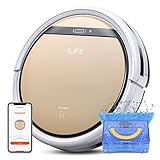
Overview:
The ILIFE V5s Plus is a slim (2.99’’), quiet robot vacuum/mop hybrid targeting tight spaces under furniture. It offers 110 minutes of runtime, Alexa/Google Assistant compatibility, and five cleaning modes for hard floors, carpets, and pet hair.
What Makes It Stand Out:
Its ultra-low profile accesses hard-to-reach areas, while anti-fall sensors and 12mm obstacle clearance ensure seamless transitions. The budget-friendly package includes app scheduling, voice control, and a balanced approach to basic mopping without complex add-ons.
Value for Money:
Positioned as an affordable mid-range option, it excels in core functionality—reliable self-charging, pet-hair pickup, and simple wet mopping—at a fraction of premium models’ cost. Ideal for renters or small apartments needing no-frills automation.
Strengths and Weaknesses:
Strengths: Compact design, quiet operation, intuitive remote/app control, and strong value for basic needs. Weaknesses: Lacks LiDAR (bump-based navigation), modest suction (unspecified), and mopping is rudimentary for heavy stains.
Bottom Line:
A dependable, space-savvy choice for light cleaning in compact homes—prioritize it for accessibility and simplicity over advanced mapping or deep-cleaning power.
9. ILIFE A30 Pro Robot Vacuum and Mop, Self Emptying Station for 60 Days, 5000Pa Suction, LiDAR Navigation, No-Go Zones, 2.4G WiFi/App/Alexa/Remote Control, Clean Hard Floors to Medium-Pile Carpet, 110V

Overview:
The ILIFE A30 Pro merges 5000Pa suction with a groundbreaking 280-day self-emptying system via five 2.5L dust bags. Its LiDAR navigation creates precise home maps, while the 200ml water tank enables simultaneous vacuuming and mopping for hard floors to medium-pile carpets.
What Makes It Stand Out:
The 280-day hands-free claim sets it apart—each bag lasts 8 weeks, eliminating daily disposal. App features like no-go zones, room-specific cleaning, and adjustable water/suction levels cater to meticulous users. The 2-in-1 tank simplifies switching between modes.
Value for Money:
Though priced higher than non-self-emptying rivals, the A30 Pro saves long-term effort with its extended maintenance cycle. It’s cost-effective for busy households needing consistent, customizable cleaning without frequent interventions.
Strengths and Weaknesses:
Strengths: Exceptional self-emptying longevity, precise LiDAR mapping, versatile 3-in-1 cleaning, and granular app control. Weaknesses: 200ml water tank limits mopping runtime; no 5G Wi-Fi support.
Bottom Line:
A near-perfect balance of automation and control for medium-to-large homes—choose it for unmatched convenience if mopping and extended self-emptying are priorities.
10. ILIFE A30s Robot Vacuum Cleaner, 10000Pa Max Suction Power with Lidar Navigation, Home Mapping, No-Go Zone, 150 Mins Max, 2.4G WiFi/App/Alexa/Remote Control, for Hard Floor, Carpet and Pet Hair
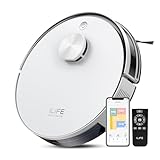
Overview:
The ILIFE A30s focuses purely on vacuuming with an industry-high 10,000Pa suction peak, LiDAR navigation, and 150-minute runtime. Designed for pet owners, it features anti-tangle brushes and app-driven customization for hard floors and carpets—but omits mopping.
What Makes It Stand Out:
Spot Mode’s 10,000Pa suction obliterates embedded pet hair and debris, while auto carpet boost adjusts power intelligently. LiDAR mapping creates efficient routes with no-go zones, and 150-minute runtime covers large spaces—60 minutes longer than most rivals.
Value for Money:
It delivers elite suction at a mid-range price, outperforming similarly priced hybrids by specializing in vacuuming. Pet owners gain exceptional hair pickup without mopping compromises, though the lack of wet cleaning narrows its appeal.
Strengths and Weaknesses:
Strengths: Unrivaled suction for pet hair, long battery life, precise mapping, and anti-tangle tech. Weaknesses: No mopping function; 2.4GHz Wi-Fi limitation frustrates some users.
Bottom Line:
The ultimate pick for pet-heavy homes needing aggressive vacuuming power—skip it only if mopping is essential; otherwise, it’s a powerhouse for focused debris removal.
Understanding the Core of Remote Control Reliability
Why Wi-Fi Connectivity is Non-Negotiable
A strong, stable Wi-Fi connection is the absolute bedrock of reliable remote control. Without it, commands from your phone get lost in transit, real-time status updates vanish, and scheduling becomes guesswork. Look beyond just “Wi-Fi enabled” claims; prioritize models explicitly designed for robust 2.4 GHz band compatibility (essential for wider range and wall penetration) and, increasingly, dual-band support (2.4 GHz and 5 GHz) for reduced interference in crowded networks. A robot that frequently disconnects defeats the entire purpose of remote management.
The Critical Role of App Design and Stability
Your smartphone app is the remote control itself. A poorly designed or unstable app renders even the best hardware useless. Evaluate app stores critically: look for consistently high ratings (4+ stars), recent positive updates addressing bugs, and reviews specifically mentioning reliability. Key features include intuitive navigation, quick command response times (starting, stopping, pausing), and clear visual feedback on the robot’s status and location. An app that crashes when you need it most adds stress, not convenience.
Cloud Infrastructure: The Hidden Engine
Behind every tap on your screen lies complex cloud infrastructure. Reputable brands invest heavily in secure, high-uptime cloud servers that process your commands and relay data between your app and the robot. Frequent server outages or slow data processing lead directly to lag and failed commands. While hard to assess upfront, researching a brand’s history of service reliability and their commitment to long-term cloud support (often 5+ years) is crucial for sustained remote control functionality.
Essential Features for Truly Effective Remote Management
Real-Time Mapping and Location Tracking
Knowing where your robot is and what it’s doing remotely is transformative. Advanced models generate detailed, real-time maps of your home within the app. This isn’t just a novelty; it allows you to see if it’s stuck, confirm it cleaned the right room, or instantly send it to a spill you just made – all from your phone. Look for maps that update frequently and accurately reflect the robot’s position and cleaning path.
Precision Room and Zone Targeting
The ability to command “Clean the kitchen now” from your phone is infinitely more useful than only starting a full-house clean. Effective remote control requires precise room selection (if the robot maps distinct rooms) or the ability to draw custom no-go zones and specifically targeted cleaning zones directly on the app map. This granularity turns your robot from a broad-stroke cleaner into a responsive tool for immediate, specific needs.
Smart Scheduling with Geofencing
Beyond simple timers, advanced scheduling uses geofencing. The app detects when your phone leaves a predefined perimeter (like your home) and automatically starts the robot, ensuring a clean home awaits your return. Similarly, it can pause cleaning when you’re approaching home to save battery or avoid noise. This proactive automation, triggered by your location, is a pinnacle of hands-off remote management.
Voice Command Integration Beyond Basics
While “Hey Google, start the vacuum” is common, true remote control integration means voice commands work reliably when you’re not home. This requires seamless cloud communication between the voice assistant platform (Google Assistant, Alexa) and the robot’s servers. Test if voice commands issued remotely (e.g., “Alexa, tell RobotVac to clean the living room” while at work) function consistently, not just locally.
Navigating Technical Challenges and Privacy Concerns
Overcoming Wi-Fi Dead Zones in Larger Homes
Even the best robot struggles in homes with weak Wi-Fi signals in certain areas. Solutions include ensuring your home Wi-Fi router is centrally located and modern, or utilizing the robot’s potential compatibility with Wi-Fi extenders or mesh network systems. Some premium models even feature stronger internal antennas specifically designed to maintain connection deeper within larger floor plans or multi-story homes.
Minimizing Command Latency and Lag
Noticeable delay between tapping “Start” and the robot reacting ruins the remote control experience. Latency stems from app inefficiency, cloud processing bottlenecks, or weak local Wi-Fi. Prioritize brands known for optimized software and efficient data handling. Testing the app’s responsiveness during setup (even if just locally) can be an indicator of remote performance.
Data Security and Privacy Imperatives
A robot vacuum with constant cloud connectivity collects significant data about your home layout and usage patterns. Scrutinize the manufacturer’s privacy policy: How is data encrypted in transit and at rest? Is mapping data processed locally on the robot or solely in the cloud? What data is shared with third parties? Opt for brands offering local map storage options and clear, transparent data handling practices. Never compromise on security for convenience.
Firmware Updates: The Lifeline for Longevity
Remote control capabilities and overall performance heavily depend on regular firmware updates. These patches fix bugs, improve navigation algorithms, add features, and crucially, address security vulnerabilities. Choose a brand with a proven track record of frequent, timely, and long-term firmware support. A robot abandoned by its manufacturer quickly becomes a less capable and potentially insecure device.
Optimizing Your Setup for Flawless Remote Operation
Router Placement and Network Optimization
Your home Wi-Fi network is the foundation. Position your router centrally if possible, away from large metal objects or appliances causing interference (like microwaves). Ensure your robot is connected to the 2.4 GHz band (most compatible for range), even if your router broadcasts a combined network name (SSID). Separating 2.4 GHz and 5 GHz bands with distinct names gives you control over which your robot uses.
Strategic Charging Dock Placement
Where you place the charging dock impacts both cleaning efficiency and connectivity. Avoid cramming it into a deep closet corner or behind large furniture where the Wi-Fi signal might be weakest. An open location, preferably central to the main living areas, helps the robot maintain a stronger connection while docked and during initial navigation phases.
Managing Multiple Users and Permissions
In households with several users, understand how the app handles multiple accounts. Can different family members reliably control the robot simultaneously? Are there granular permission settings (e.g., guests can view but not control)? Test the multi-user functionality during setup to avoid confusion or accidental command conflicts later.
Troubleshooting Common Remote Control Failures
When remote control fails, systematic troubleshooting saves time. First, check your phone’s internet connection. Next, verify the robot is powered on and connected to Wi-Fi (often shown by a light on the unit). Restart the robot and your phone. Check the brand’s service status page for cloud outages. Finally, ensure the app has necessary background permissions enabled on your phone (like location services for geofencing). Knowing these steps prevents unnecessary panic.
Future-Proofing Your Investment
The Shift Towards Local Processing
To combat latency and enhance privacy, the industry is moving towards more onboard processing. Models that can navigate, map, and execute basic commands without constant cloud communication offer faster local response times and reduced vulnerability during internet outages. While cloud features remain vital for true remote control, local intelligence is becoming a key differentiator for reliability.
Interoperability Within Your Smart Home Ecosystem
Consider how the robot integrates beyond just its own app. Does it work natively within your existing smart home platform (like Apple HomeKit, Google Home, or Samsung SmartThings)? Seamless integration allows for creating complex automations (e.g., “When I leave for work, start the robot and turn off lights”) controlled through a single, unified interface, enhancing the overall remote management experience.
Evaluating Long-Term Support Commitments
A robot vacuum is a multi-year investment. Investigate the manufacturer’s typical support lifespan for older models. How many years of firmware updates do they historically provide? Are replacement parts (like batteries or brushes) readily available years after purchase? Brands committed to longer support cycles ensure your remote control capabilities and security stay relevant.
Frequently Asked Questions
How crucial is Wi-Fi 6 support for remote control robot vacuums?
While Wi-Fi 6 offers advantages like better performance in dense networks, robust 2.4 GHz compatibility remains far more critical for reliable robot vacuum connectivity due to its superior range and wall penetration, which are essential for whole-home coverage. Wi-Fi 6 is a future-proofing bonus, not a current necessity.
Can I control my robot vacuum reliably if my home Wi-Fi goes down?
No. Remote control functionality (starting/stopping from outside the home, app-based commands) requires both your phone and the robot to have active internet access via your home Wi-Fi. Basic local control via the robot’s physical button or a local voice command (if supported) might still work, but true remote access needs an internet connection.
Why does my robot sometimes not respond immediately to app commands?
Command latency is usually caused by temporary Wi-Fi signal weakness near the robot, high internet traffic slowing cloud processing, or background app restrictions on your phone. Ensuring strong local Wi-Fi coverage for the robot and checking your phone’s app permissions can mitigate this.
Are there security risks with Wi-Fi enabled robot vacuums?
Yes, any internet-connected device poses potential risks. Choose brands with strong security practices: end-to-end encryption, regular security updates, transparent privacy policies, and options for local map processing/storage. Avoid models with known security vulnerabilities or poor update histories.
Does using voice commands remotely drain the robot’s battery faster?
No, the battery drain comes from the cleaning activity itself, not the method of command (app, voice, physical button). Issuing a remote voice command uses minimal energy compared to the motors and suction required for actual cleaning.
Can I use a Wi-Fi extender or mesh system with my robot vacuum?
Generally, yes, and it’s often recommended for larger homes. Ensure the extender/mesh node uses the same 2.4 GHz network name (SSID) and password as your main router for seamless roaming. Some robots may have trouble reconnecting if the extender uses a different network name.
What does “geofencing” actually do for remote control?
Geofencing uses your phone’s location to trigger automatic actions. For example, it can start the robot when your phone leaves a set perimeter (like your home) and pause it when your phone returns, optimizing cleaning for when you’re away without manual app interaction.
How often should I expect firmware updates for reliable remote control?
Reputable brands typically release significant firmware updates every few months, with smaller patches more frequently. Consistent updates over 3-5 years after purchase are a good sign of a brand committed to maintaining functionality, security, and remote control reliability.
Can multiple people in my household reliably control the robot remotely?
Most modern apps support multiple user accounts with shared access. However, simultaneous command conflicts can occur (e.g., one person starts while another stops). Check the app’s specific multi-user features and permissions settings to manage household access smoothly.
Is a dedicated hub required for better remote control?
Generally, no. Most modern robot vacuums connect directly to your home Wi-Fi and the manufacturer’s cloud. Dedicated hubs are more common in proprietary smart home systems (like some older Roombas with the Clean Base), but direct Wi-Fi connectivity is standard and sufficient for robust remote control in 2026.
See Also
- 10 Game-Changing Wi-Fi Enabled Robot Vacuums for Tech-Savvy Homes in 2026
- 10 Must-Have Wi-Fi Enabled Robot Vacuums for Smart Homes in 2026
- 10 Game-Changing Robot Vacuums with Virtual Walls for Multi-Room Homes in 2026
- 10 Game-Changing Robot Vacuums with Mapping for Large Homes in 2026
- How to Solve Daily Dust Buildup with the 10 Best Wi-Fi Enabled Robot Vacuums in 2026